Adding an Extra Layer: Why We Built the Master Password Feature
Local storage is great, but what if you share your laptop? Here is why we added an optional Master Password to Form Recover.
When we designed Form Recover, our primary mission was simple: make sure you never lose what you type. By storing everything locally on your device, we eliminated the biggest privacy hurdle—third-party servers.
But as we talked to users, we realized that “local” isn’t always private enough. Maybe you share a laptop with a partner, or perhaps you leave your workstation unlocked at the office while you grab a coffee.
That’s where the Master Password comes in.
Why “Local” isn’t always “Private”
In most browser extensions, if someone has physical access to your browser, they can click the extension icon and see your history. If you’ve been drafting a sensitive email or a private journal entry, that’s a problem.
We didn’t want to force everyone to use a password—that would be annoying for a tool meant to be “invisible.” Instead, we built it as an optional vault lock.
How the Master Password Works
The Master Password feature acts as a gateway to your Recovery Vault.
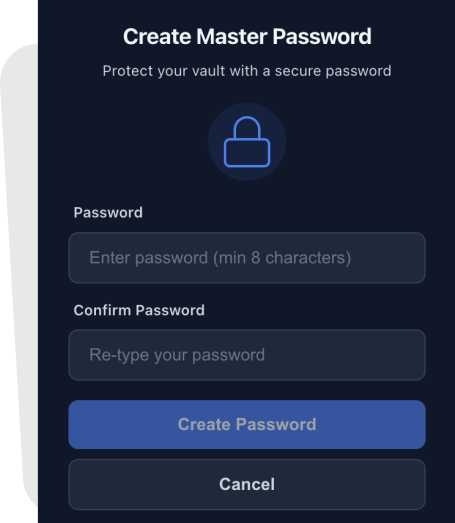
- Optional Setup: You can enable it in the extension settings only if you need it.
- Auto-Lock: Once set, the extension popup and dashboard will require the password before showing any saved drafts.
- Local Encryption: Your password isn’t sent to us (remember, we have no servers!). It’s used to derive a key that secures your local database.
Peace of Mind for Shared Devices
This feature is perfect for:
- Students: Working on library or lab computers.
- Remote Workers: Using a personal computer for work (or vice versa).
- Privacy Enthusiasts: Who just want that extra “click” of security before their data is visible.
It’s About Control
At the end of the day, privacy is about control. You should be the one who decides who can see your unsubmitted thoughts. Whether you want Form Recover to be a silent, open assistant or a locked digital vault, the choice is now in your settings.
Stay safe out there, and keep typing!